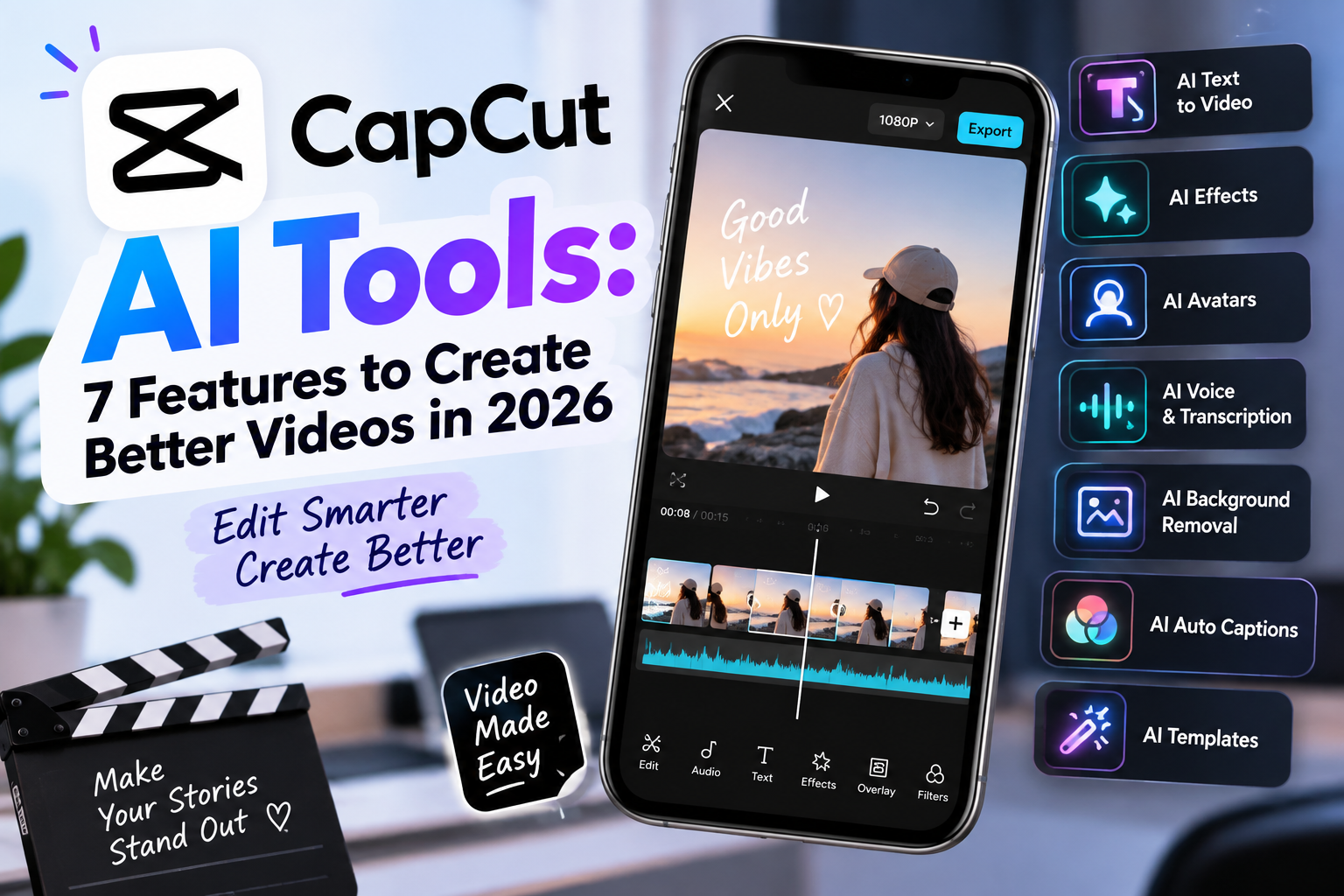
CapCut AI Tools: 7 Features to Create Better Videos in 2026 – Creating videos has become easier than ever. CapCut continues to lead with powerful AI tools in 2026. These tools help beginners and pros make polished content fast. Many creators use CapCut because it works on phones, computers, and the web. Moreover, it offers free options plus paid upgrades for heavier use.
In this article, we explore seven standout CapCut AI features. Each one saves time and boosts quality. Therefore, you can produce better videos for TikTok, YouTube, Instagram, or business needs. We draw on current details from CapCut’s official tools and recent reviews.
First, let’s look at the main tools that stand out this year.
1. AI Video Generator (Text-to-Video and Seedance Models)
The AI video generator turns simple text into full videos. You type an idea or script. Then the tool builds scenes, adds visuals, voiceovers, and effects. In 2026, CapCut supports advanced models like Seedance 2.5. This model creates native 4K clips up to 30 seconds long. It keeps characters and motion consistent.
In addition, you can use images or keyframes as starting points. The system also works with stock footage for quick drafts. As a result, creators finish social clips in minutes instead of hours. Many users start with a prompt and then refine the timeline. This feature works well for marketing, tutorials, and short stories.
2. Auto Captions and Multi-Language Support
Auto captions remain one of CapCut’s strongest tools. The AI listens to your audio and creates accurate subtitles. It times the words tightly and offers style options. In 2026, support covers well over 100 languages in many reports. Some sources note 130+ languages.
Moreover, you can create bilingual captions. This helps videos reach wider audiences. The tool also removes filler words like “um” and “uh” in some workflows. Therefore, talking-head videos look cleaner and more professional. Captions stay editable, so you can fix any small mistakes quickly.
3. AI Avatars and Digital Presenters
AI avatars let you create talking presenters without appearing on camera. You choose a preset character or upload a photo. Then you add a script. The avatar speaks with natural gestures and expressions. CapCut also supports voice cloning from short samples in some plans.
In addition, these avatars work great for faceless content, product demos, and education. Privacy stays high because you do not need to film yourself. Many creators use this for consistent branding across videos. As a result, production becomes faster and more flexible.
4. Text-to-Speech and AI Voice Tools
Text-to-speech converts written words into natural voiceovers. CapCut offers hundreds of AI voices. Some reports mention 269 or more ready options, plus effects and changers.
You simply type the script. Then the tool generates clear narration. Meanwhile, voice cloning lets you match a specific tone in supported regions and plans. This pairs perfectly with avatars or background music. Therefore, videos sound polished without hiring voice actors. Creators use it for ads, explainers, and social posts every day.
5. Smart Auto-Edit, Auto Cut, and Edit Pilot
Smart editing tools analyze your raw footage. Auto Cut or Auto-Edit trims clips, matches music beats, and sets pacing. It often starts you with a nearly finished timeline. Edit Pilot acts as an interactive assistant on the timeline. It suggests the right tools at each step.
In addition, AI Clipper finds the best moments in longer videos. You can turn long recordings into short clips fast. These features reduce manual work. As a result, beginners create rhythm-driven content that feels professional. Pros still keep full control for final tweaks.
6. Background Removal, Enhancement, and Upscaling
Background removal cuts subjects cleanly without a green screen. The AI handles edges well in most cases. Video enhancers then improve clarity, color, and resolution. Upscaling tools raise quality for older or lower-resolution clips.
Moreover, tools like relighting and noise reduction clean up footage further. These work on both mobile and desktop. Therefore, product videos and talking heads look sharper. Ecommerce sellers especially benefit when isolating items quickly.
7. AI Story Maker, Infinite Canvas, and Skills System
AI Story Maker takes a basic idea and builds a full video draft. It writes a script, selects scenes, adds music, and creates structure. The Infinite Canvas (in Video Studio or Design Studio) lets you brainstorm freely with an AI agent. You place images, text, and clips on an open space. Then the agent helps generate and organize.
Meanwhile, the Skills system turns repeated workflows into one-click tools. Creators share and reuse color grades or edit steps. This speeds up team work and personal projects. As a result, idea-to-video flows feel seamless in 2026.
Quick Comparison of the 7 Features
Here is a simple table that shows what each tool does best and who it helps most:
| Feature | Main Benefit | Best For | Typical Access |
|---|---|---|---|
| AI Video Generator | Creates full clips from text/images | Quick social & ads | Free + credits |
| Auto Captions | Accurate multi-language subtitles | Accessibility & reach | Mostly free |
| AI Avatars | Talking presenters without filming | Faceless & branded content | Free + paid |
| Text-to-Speech | Natural voiceovers from text | Narration & explainers | Free + credits |
| Smart Auto-Edit | One-click cuts and pacing | Fast short-form videos | Free + Pro |
| Background & Enhance | Clean cutouts and sharper quality | Product & talking heads | Free + Pro |
| Story Maker & Canvas | Full idea-to-draft workflow | Planning & complex stories | Free + advanced |
This table helps you pick the right starting point. Most basic versions stay free. Heavier generative use often needs AI credits on Pro or higher plans.
Why These Tools Matter in 2026
CapCut now packs more than 85 AI features according to recent reports. Millions of creators use them daily. The tools focus on speed while still allowing manual edits. Therefore, you stay in control. Integration with TikTok and other platforms makes posting simple.
However, results depend on your starting material and region. Some generative models roll out in stages. Always check current availability in the app. In addition, paid plans unlock more credits, higher exports, and extra tools.
Tips to Get the Best Results
Start simple. Type a clear prompt for the video generator. Then review and edit the draft. Combine tools: generate a base video, add an avatar or voice, apply captions, and enhance quality. Use the canvas for bigger projects. Finally, export in the right aspect ratio for each platform.
Also, keep your source audio clean when possible. This improves caption accuracy. Test different voices until you find the right match. As a result, your videos look and sound more consistent.
Final Thoughts
CapCut’s AI tools in 2026 make better videos accessible to everyone. The seven features above cover generation, editing, voice, and enhancement. They save hours while raising quality. Whether you create for fun, business, or social growth, these tools deliver strong results.
Try the free versions first. Explore the official CapCut AI tools page for the latest options. Then experiment and refine. Better videos are only a few clicks away.