
How to Use ChatGPT to Write Professional Follow-Up Emails (With Prompts)– Follow-up emails keep conversations moving after meetings, interviews, sales calls, or networking events. Yet many professionals struggle to write them quickly without sounding generic or pushy. ChatGPT can generate clear, professional drafts in seconds when you give it the right context and prompts.
Why Use ChatGPT for Follow-Up Emails?
- ChatGPT helps you:
- Turn meeting notes or transcripts into structured recaps.
- Create multiple tone variations (formal, friendly, concise).
- Avoid common pitfalls like vague “just checking in” language.
- Scale personalization while saving time.
Step 1: Gather Context Before Prompting
Collect key details first. The more specific information you provide, the better the result.
Include:
- Recipient’s name, role, and company
- Previous interaction (meeting date, topics discussed, action items)
- Your goal (confirm next steps, request a decision, re-engage, etc.)
- Preferred tone and length
- Any relevant notes, transcript highlights, or pain points
Tip: Paste meeting notes or a short summary directly into the prompt.
Step 2: Write an Effective Prompt
Strong prompts follow a clear structure: role + context + task + constraints + format.
Basic template
“Write a professional follow-up email after a meeting about [topic]. Include a recap of key points, assigned responsibilities, and next steps with deadlines. Use a clear and polite tone. Provide a subject line.”
Enhanced version with more context:
“You are a professional [your role, e.g., sales representative / project manager] at [your company]. Write a concise, professional follow-up email to [Name], [Title] at [Company].
Context: We spoke on [date] about [brief summary of discussion]. Key points: [list 2–3 points]. Agreed next steps: [list]. My goal is to [confirm next meeting / request feedback / move to proposal].
Tone: Polite, clear, and value-focused. Keep under 150 words. Include a clear call to action and a professional subject line. Do not use phrases like ‘just checking in.’”
Step 3: Generate the Initial Draft
Paste your prompt into ChatGPT. Review the first output for structure: greeting, reference to previous interaction, value or recap, clear next step, and polite close.
Example prompt for post-meeting follow-up:
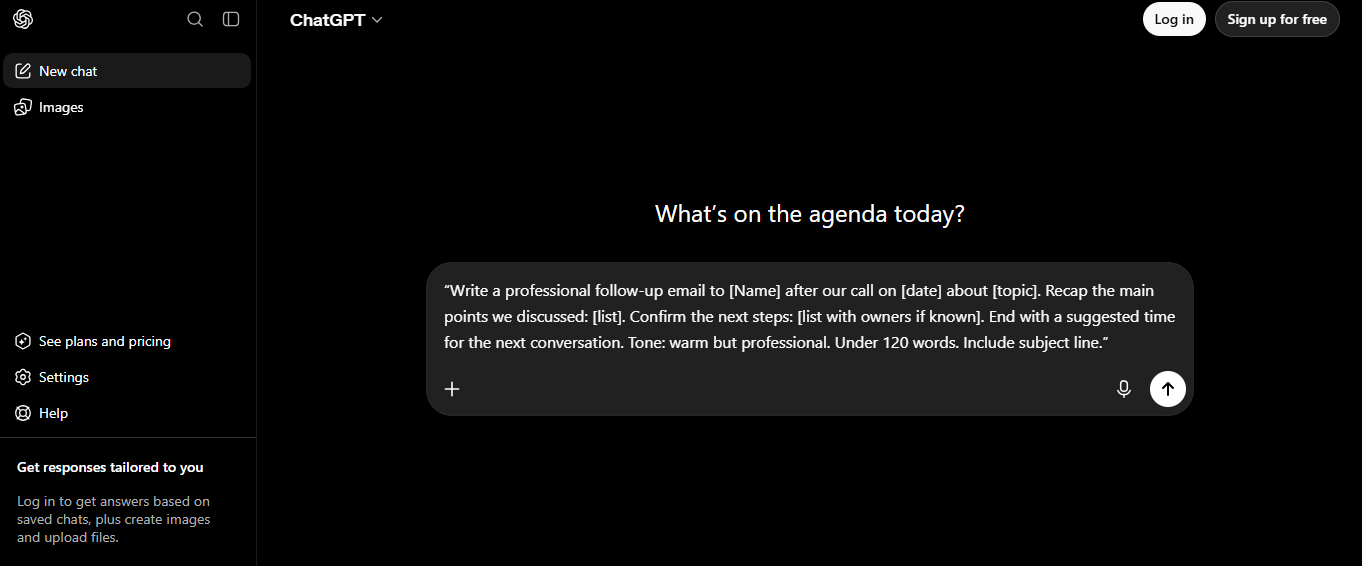
“Write a professional follow-up email to [Name] after our call on [date] about [topic]. Recap the main points we discussed: [list]. Confirm the next steps: [list with owners if known]. End with a suggested time for the next conversation. Tone: warm but professional. Under 120 words. Include subject line.”
Sample output style: Subject: Recap of our discussion + next steps
Hi [Name],
Thank you for taking the time to discuss [topic] yesterday. We covered [key points]. As next steps, I’ll [action] by [date], and you’ll [action]. Does Thursday at 10 a.m. work for a quick check-in?
Best regards,
[Your Name]
Step 4: Refine and Personalize
Ask ChatGPT to improve the draft. Common refinement prompts:
- “Make this more concise and conversational while keeping it professional.”
- “Rewrite the opening to reference [specific detail from the conversation] so it feels more personal.”
- “Adjust the tone to be slightly warmer / more formal / more assertive.”
- “Add a specific value point about how [your solution] addresses [their challenge].”
- “Suggest three alternative subject lines that include a verb and create urgency without pressure.”
For no-response follow-ups (avoid “just checking in”):
“Write a polite follow-up email to [Name] who hasn’t replied to my previous message about [topic] sent on [date]. Acknowledge they may be busy, offer one new piece of value or insight related to [their industry/challenge], briefly remind them of the benefit, and end with an easy question. Keep under 100 words. Friendly but respectful.”
Step 5: Create Variations for Different Scenarios
Use these targeted prompts:
After a sales demo or discovery call:
“Write a personalized post-demo follow-up email. My name: [ ], Company: [ ], Prospect: [Name], Company: [ ], Role: [ ]. Key benefits discussed: [list]. Include a short recap, one relevant insight, and a clear next step (e.g., proposal or second call). Tone: professional and helpful.”
After a job interview:
“Write a professional thank-you / follow-up email after my interview for [position] on [date]. Reference one specific discussion point, restate my interest, and offer to provide additional information. Keep concise and enthusiastic.”
Re-engaging a quiet prospect:
“Write a short re-engagement email to [Name] at [Company] who we last spoke with [timeframe] ago about [topic]. Lead with something relevant (new insight, industry news, or value), avoid generic check-ins, and end with a low-pressure question.”
Internal meeting or project update:
“Write a professional follow-up email after our team meeting about [project]. Include a recap of key decisions, assigned responsibilities with deadlines, and open questions. Clear and polite tone.”
Step 6: Final Review, Subject Lines, and Best Practices
Before sending:
- Check for accuracy and personal details.
- Ensure a clear call to action.
- Keep it short (most effective follow-ups are under 150 words).
- Send at a reasonable time (often 1–3 business days after the interaction).
- Use a strong subject line (include a verb or specific reference).
Subject line prompt:
“Suggest 5 professional subject lines for a follow-up email about [topic] to [recipient]. Include a verb so the action is clear. Keep under 60 characters.”
Best practices:
- Reference the previous conversation specifically.
- Offer value or make the next step easy.
- Be polite and respectful of their time.
- Follow up consistently but not excessively (space them out).
- Always add your authentic voice and signature.
Quick Prompt Bank to Copy and Paste
- Post-meeting: “Write a professional follow-up email after a meeting about [topic]. Include a recap of key points, assigned responsibilities, and next steps with deadlines. Use a clear and polite tone.”
- No response: “Write a polite follow-up that gently reminds about my previous message on [topic]. Acknowledge they are busy, add one new value point, and suggest a deadline or easy next step.”
- Sales follow-up: “Write a concise follow-up to [Name] after our call. Recap their situation, connect it to the impact of our solution, and confirm next steps.”
- General polish: “Review and improve this email draft for clarity, conciseness, and professional tone: [paste draft].”
By combining solid context with these prompts, you can produce polished, professional follow-up emails far faster while maintaining a human touch. Start with one scenario that matches your current needs, refine the output, and build your own prompt library over time. Consistent, thoughtful follow-ups strengthen relationships and drive results.