
50 ChatGPT Prompts to Write Better Emails Fast – Email anxiety is real. You stare at a blank screen. Minutes tick by. You rewrite the same sentence three times. Meanwhile, your inbox piles up and opportunities slip away. Professionals, marketers, freelancers, and business owners waste hours every week drafting emails. ChatGPT changes that. With the right prompts, you can produce clear, professional, persuasive emails in seconds instead of minutes.
This post gives you 50 ready-to-use ChatGPT prompts. Copy, paste, customize, and send. Start with the quick wins below if you need results right now.
In a Hurry? Top 5 Most Popular Email Prompts
These five prompts work for almost any situation. Paste them into ChatGPT, fill in the brackets, and get a polished draft fast.
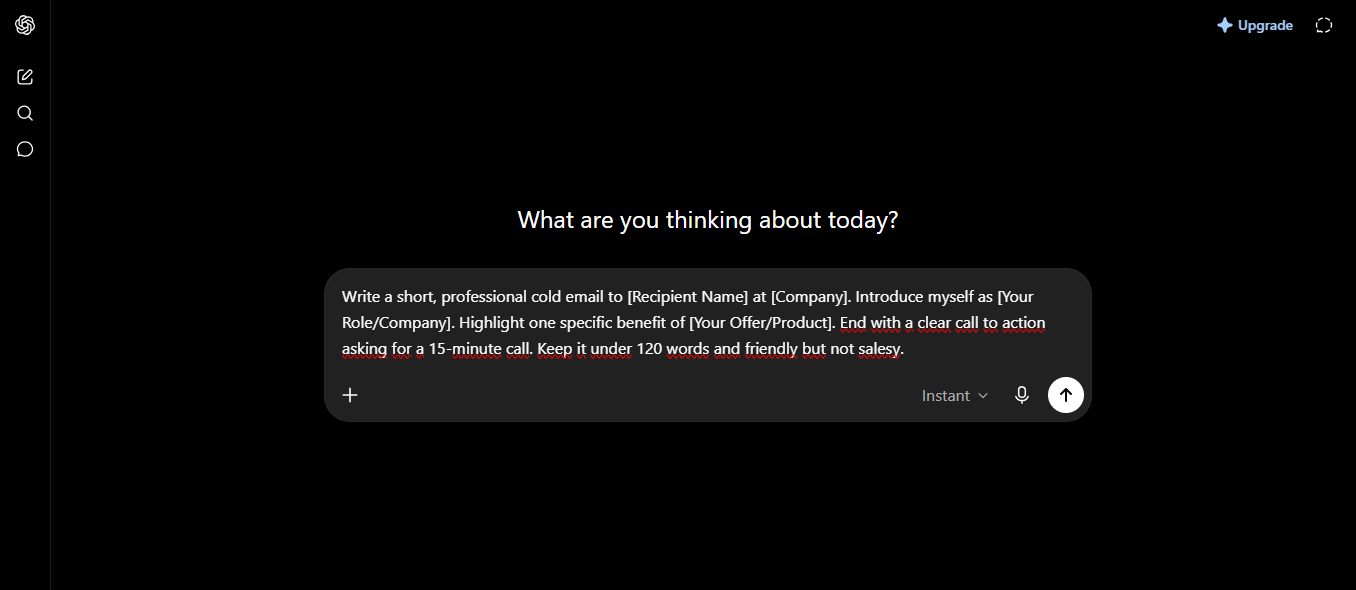
Write a short, professional cold email to [Recipient Name] at [Company]. Introduce myself as [Your Role/Company]. Highlight one specific benefit of [Your Offer/Product]. End with a clear call to action asking for a 15-minute call. Keep it under 120 words and friendly but not salesy.Write a polite follow-up email to [Recipient Name]. Reference our previous conversation on [Date/Topic]. Briefly restate the value of [Your Proposal]. Ask if they have any questions and suggest two possible next steps. Tone: professional and helpful.
Draft a clear internal email to my team about [Project/Update]. Explain the key change, why it matters, and what action each person needs to take by [Deadline]. Keep the tone collaborative and concise.
Write a professional email negotiating [Request, e.g., a higher rate or better terms] with [Recipient Name]. Acknowledge their position, present my case with 2–3 strong reasons, and propose a fair compromise. End positively.
Compose a brief apology email to [Recipient Name] for [Specific Issue]. Take responsibility, explain the fix, and offer a concrete next step or compensation if appropriate. Tone: sincere and solution-focused.
Category 1: Cold Outreach & Sales Emails
These prompts help you start conversations and open doors without sounding pushy.
Write a cold email to [Prospect Name], [Title] at [Company]. Mention something specific I noticed about their recent [Achievement/News]. Connect it to how [Your Solution] can help them achieve [Desired Outcome]. Keep it under 100 words and end with a soft ask for a short call.
Create a value-first cold email introducing [Your Product/Service] to [Recipient Name]. Focus on one painful problem they likely face in [Industry/Role]. Show how we solve it with a quick proof point. Ask only for permission to send more details.
Write a short LinkedIn-style cold email (or message) to [Name]. Reference their post about [Topic]. Share one relevant insight or resource, then gently introduce how I help people in similar situations.
Draft a cold outreach email for a freelance [Your Service] offer. Target [Ideal Client Type]. Highlight my unique process or result in one sentence. Include social proof if possible and a clear next step.
Write a personalized cold email to a potential partner at [Company]. Explain why a collaboration on [Idea] makes sense for both of us. Propose a low-commitment first step.
Create a sales email that leads with a surprising statistic or insight about [Industry Problem]. Then introduce [Your Solution] as the practical answer. Keep the tone curious rather than pushy.
Write a cold email following up on a mutual connection. Mention [Mutual Contact] and how they suggested we speak. Briefly state the purpose and suggest a time to talk.
Draft an email pitching [Product/Service] to a busy executive. Use the AIDA structure (Attention, Interest, Desire, Action) but keep the whole email under 90 words.
Write a warm-but-cold email to someone who engaged with my content. Reference the specific post or comment. Offer additional value related to that topic and invite a conversation.
Create a multi-touch cold email sequence outline (Email 1 only for now). Focus on problem, insight, and soft CTA. Make it easy to personalize later.
Category 2: Follow-Up & Reminder Emails
These prompts turn silence into progress without becoming annoying.
Write a polite follow-up email three days after sending [Previous Email/Proposal]. Restate the main benefit in one sentence. Ask if they need any additional information. Offer two specific time slots for a call.
Draft a gentle reminder email about an unpaid invoice. Include the invoice number, amount, and due date. Keep the tone professional and assume positive intent. Provide clear payment instructions.
Write a follow-up after a networking event or meeting. Thank [Name] for their time, reference one specific point we discussed, and suggest a concrete next step.
Create a “checking in” email for a stalled sales conversation. Acknowledge they are busy. Reiterate one key value point and ask what has changed or what they need from me.
Write a second follow-up email that adds new value. Share a relevant case study, article, or tip related to their challenge. Then gently ask for an update.
Draft a reminder email for an upcoming deadline or deliverable. Be clear about what is due, when, and why it matters. Offer help if they are stuck.
Write a follow-up after sending a proposal. Summarize the three biggest benefits again in bullet points. Ask which part they would like to discuss first.
Create a short “just bumping this” email that feels human. Keep it under 50 words while still sounding professional.
Write a follow-up sequence starter for someone who downloaded a lead magnet. Reference the resource they got and offer a free 15-minute strategy call.
Draft an email re-engaging a past client who has gone quiet. Mention a past success together and share one new way I can help them now.
Category 3: Internal Team & Manager Communications
Clear internal emails save meetings and prevent confusion.
Write an email to my manager updating them on [Project]. Include current status, what’s going well, any blockers, and what support I need. Keep it concise and solution-oriented.
Draft a team announcement about [Change or New Process]. Explain the reason, the timeline, and exactly what everyone needs to do differently starting [Date].
Write a request for feedback email to [Colleague/Manager]. Specify the document or work and the kind of feedback that would be most helpful. Give a clear deadline.
Create an email summarizing key decisions from our meeting. List action items with owners and deadlines. Send it as a clear record for the team.
Write a professional email requesting time off or a schedule change. State the dates, reason briefly if appropriate, and how I will handle coverage.
Draft an email escalating a risk or issue to leadership. Stick to facts, impact, and proposed next steps. Avoid blame.
Write a recognition email praising a team member for [Specific Contribution]. Be specific about the impact so it feels genuine.
Create a weekly status update email template for my team. Include sections for wins, priorities, and blockers. Make it easy to fill in each week.
Write an email introducing a new team member or process. Keep the tone welcoming and clear about roles or expectations.
Draft an email asking for clarification on priorities when everything feels urgent. Help my manager help me focus on what matters most.
Category 4: Professional Negotiations & Handling Complaints
These prompts help you stay calm, clear, and constructive under pressure.
Write an email negotiating a higher rate or fee for [Project/Service]. Reference the value delivered or market rates. Propose a specific number and leave room for discussion.
Draft a response to a client complaint about [Issue]. Acknowledge their frustration, take responsibility where appropriate, explain the resolution, and offer a goodwill gesture if suitable.
Write an email requesting better payment terms or a discount from a vendor. Explain the business reason and propose a win-win arrangement.
Create a polite but firm email pushing back on an unreasonable request. Restate what I can deliver and suggest an alternative.
Write a negotiation email for a contract revision. List the clauses I want changed and the reasons. Keep the tone collaborative.
Draft a response when a client asks for a big discount. Protect the value of the work while remaining open to creative solutions.
Write an email de-escalating a heated situation. Focus on shared goals and the path forward rather than who is right.
Create an email proposing a revised timeline after a delay. Explain the cause briefly, the new dates, and how I will prevent similar issues.
Write a professional email declining a request while preserving the relationship. Offer an alternative if possible.
Draft an email following up after a difficult conversation. Summarize agreements and next steps so everyone is aligned.
Category 5: Quick Replies, Apologies & Formal Requests
Speed and clarity matter most in these everyday situations.
Write a short, professional reply confirming receipt of [Document/Request] and stating when I will respond fully.
Draft a sincere apology email for missing a deadline. Explain briefly what happened, what I am doing to fix it, and the new delivery date.
Write a formal request email asking for [Information/Approval/Meeting]. State the purpose, why it matters, and any deadline.
Create a polite out-of-office style reply for when I need more time. Set expectations clearly and offer an alternative contact if urgent.
Write a quick thank-you email after receiving help or a favor. Be specific about what I appreciated.
Draft a formal email requesting a letter of recommendation or reference. Provide context and make it easy for the person to say yes.
Write a short email declining an invitation or meeting while staying positive and open to future opportunities.
Create a clear email asking for a status update without sounding impatient. Reference previous conversations and offer help.
Write a professional email introducing two people who should connect. Briefly explain why the introduction is valuable for both.
Draft a concise email closing a conversation or project. Summarize outcomes, thank the other party, and leave the door open for future work.
Practical Tips for Best Results
Customize every output. Tell ChatGPT the exact tone you want (for example, “friendly but professional” or “direct and concise”). Always add context. Include the recipient’s role, your relationship, and the goal of the email. The more specific you are, the better the result.
Control length. Add instructions such as “keep it under 100 words” or “use short paragraphs” so the email matches how busy people actually read.
Conclusion
Better emails do not require more time. They require better prompts. Use the five quick wins today. Then explore the full set of 50 prompts as situations arise. You will spend less energy drafting and more energy on work that actually moves the needle.
Start with one prompt right now. Paste it into ChatGPT, fill in the brackets, and send a clearer email in the next few minutes. Your future self (and your inbox) will thank you.