
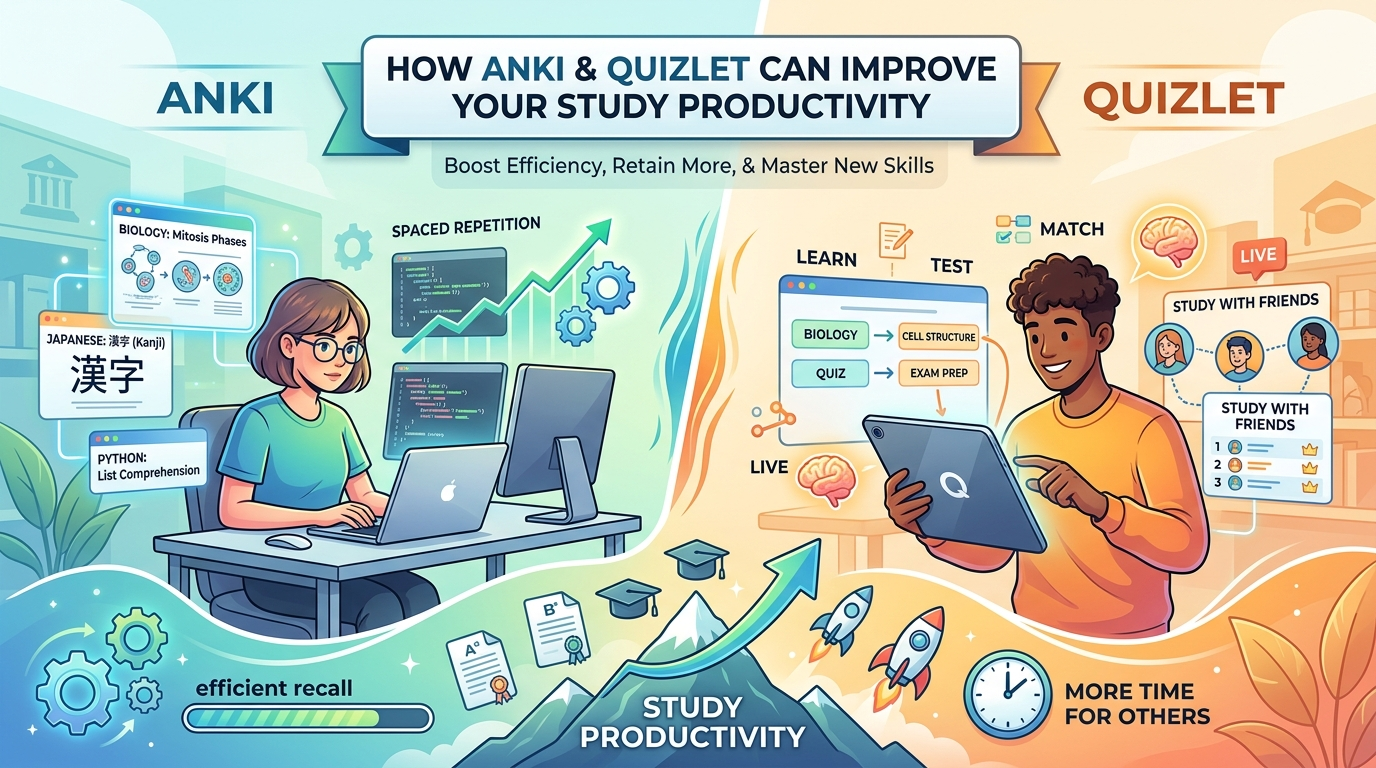
How Anki and Quizlet Can Improve Your Study Productivity – Students often struggle to remember facts for tests. They read notes again and again. Yet they forget most of it soon after. Anki and Quizlet change that. These tools use smart methods that help your brain keep information longer. As a result, you study less time but learn more. This article shows how both apps boost study productivity with clear steps and real research.
Why Memory Tools Matter for Productivity
Your brain forgets things fast. This is called the forgetting curve. Without review, you lose about 70% of new facts in one day. Spaced repetition fights this. You review material just before you forget it. The gaps between reviews grow longer over time. Studies prove this works better than cramming.
Active recall also helps. You try to remember the answer instead of just reading it. This builds stronger memory paths. Research shows retrieval practice can boost long-term retention by up to 50% compared to passive reading.
Anki and Quizlet both support these ideas. Therefore, they help you learn faster and keep knowledge longer. You spend less time on weak areas and more time on what matters. In the end, your grades improve and stress drops.
How Anki Improves Study Productivity
Anki is a free flashcard tool built around spaced repetition. You create cards or download shared decks. Then the app schedules reviews based on how well you know each card. Hard cards come back soon. Easy cards wait longer. This matches your memory strength.
Anki uses algorithms like SM-2 or the newer FSRS. These predict when you will forget something. Recent versions with FSRS can cut daily review time by 20 to 30% while keeping the same retention level.
Medical students use Anki a lot. One 2023 study found users scored 6 to 13% higher on exams than non-users. A systematic review linked regular Anki use to better scores on tests like the USMLE Step 1. High users often outperformed others by several points.
Anki also lets you customize cards. You can add images, audio, or fill-in-the-blank styles. This works well for languages, science, or law. Because the tool tracks your progress carefully, you avoid wasted reviews. You focus only on what you still need. As a result, daily study sessions stay short and effective.
Start with a few new cards each day. Review them consistently. Over weeks, the load stays manageable while knowledge builds deep roots. This is why Anki shines for long-term goals like board exams or language mastery.
How Quizlet Improves Study Productivity
Quizlet is easy to start. You can make sets in minutes or search millions of shared ones. It offers modes like Learn, Match, Test, and games. These keep study sessions fun and active.
Quizlet supports retrieval practice well. You see a term and try to recall the definition. Instant feedback shows if you are right. A 2024 meta-analysis found Quizlet had moderate positive effects on vocabulary achievement and retention. Students also reported better attitudes toward learning.
Other studies confirm gains. Learners who used Quizlet for vocabulary scored higher on post-tests than those who did not. Many liked the games and ease of use. Teachers can share sets with classes. Students can study together in Live mode.
Quizlet works best for short-term needs. For example, you can review for a quiz next week. The Learn mode adapts within a session. It repeats missed cards more. Although it lacks Anki’s long-term scheduler, the fun features help you stick with studying. You open the app more often. Consistency rises. Productivity follows.
You can also generate cards from notes with AI tools in paid plans. This saves setup time. Mobile apps make it simple to study anywhere. Short sessions fit busy days.
Anki vs Quizlet: A Clear Comparison
Here is a simple table that shows key differences.
| Feature | Anki | Quizlet |
|---|---|---|
| Spaced Repetition | Strong (SM-2 or FSRS algorithms) | Basic (session-based Learn mode) |
| Best For | Long-term retention, heavy subjects | Quick reviews, group study, beginners |
| Ease of Use | Steeper learning curve | Very easy and modern |
| Pre-made Content | Good shared decks | Huge library of millions of sets |
| Customization | High (add-ons, complex cards) | Limited but simple |
| Cost | Free on desktop/Android; paid iOS app | Free with ads; paid plan for more features |
| Collaboration | Limited | Strong (Live, class features) |
Anki wins for deep, lasting knowledge. Quizlet wins for speed and motivation. Many students use both. They make cards in Quizlet for class and move key facts to Anki for long-term review.
Before optimizing your routine, learn the fundamentals in our complete guide to Anki and Quizlet.
Practical Tips to Boost Productivity with Both Tools
First, set clear goals. Decide how many new cards you will add each day. Keep the number small so reviews stay short. Then stick to a daily habit. Even 15 to 20 minutes works well.
Next, make good cards. Write clear questions on one side and short answers on the other. Add pictures when they help. Avoid long text. This makes recall faster and stronger.
Also, combine the tools. Use Quizlet for group study or quick class review. Switch hard material to Anki for lasting memory. Track your progress. Celebrate small wins to stay motivated.
Moreover, review in short bursts. Spaced practice beats long cramming sessions. Science supports this across many subjects.
Finally, protect your focus. Turn off extra notifications while you study. Use the apps offline when possible. These small habits compound. Over a semester, you save hours and gain better results.
These techniques can also help you achieve faster study results with your flashcards.
Putting It All Together for Better Results
Anki and Quizlet both raise study productivity. Anki does this through precise spacing that builds long-term memory with less effort. Quizlet does this through easy access, games, and active recall that keep you engaged. Research backs both approaches. Spaced repetition and retrieval practice are proven methods that help students score higher and forget less.
You do not need perfect tools. You need consistent use. Start with one app today. Make a few cards from your current class notes. Review them tomorrow. Then add a little more each day. In a few weeks, you will notice the difference. Facts stick better. Study time feels more useful. Grades improve. Stress drops. That is real productivity.
Choose the tool that fits your needs right now. Or use both. Either way, you take control of your learning. Your future self will thank you.