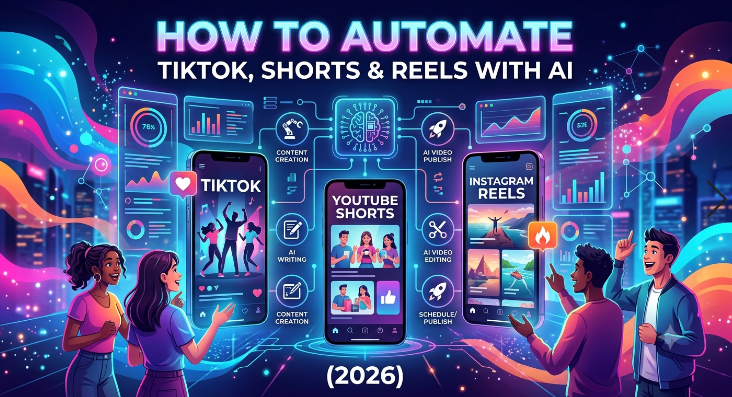
How to Automate TikTok, Shorts & Reels With AI (2026) – Creating short-form video content every day can feel overwhelming. However, smart automation now makes it far easier to stay consistent across TikTok, YouTube Shorts, and Instagram Reels without burning out. In 2026, AI tools handle clipping, captions, editing, and scheduling so creators focus on strategy and authenticity instead of repetitive tasks.
This guide shows practical, compliant ways to automate the process. It draws on current platform tools and trusted AI solutions. Always follow each platform’s guidelines, because unauthorized bots for likes, follows, or comments can lead to bans.
Why Automate Short-Form Content in 2026?
Short-form video still drives massive reach. TikTok, YouTube Shorts, and Instagram Reels reward consistent posting and strong engagement. Manual creation, however, takes hours. Consequently, automation helps you repurpose long videos, generate clips quickly, and schedule posts in advance.
Moreover, official APIs and approved third-party tools let you post safely. TikTok’s Content Posting API, for example, supports authorized sharing when apps meet audit requirements. Therefore, stick to verified methods rather than shady bots.
In addition, AI has improved dramatically. Tools now detect viral moments, add dynamic captions, reframe for vertical video, and even suggest trends. As a result, one long video can become ten polished shorts in minutes.
Read more: AI Video Generators Guide for Faceless YouTube in 2026
Step 1: Plan Your Content Strategy First
Before any automation begins, define your goals. Decide on niches, posting frequency, and brand voice. Next, gather source material such as podcasts, webinars, vlogs, or tutorials. Then batch-create ideas so the system has plenty of raw content.
Furthermore, research current trends on each platform. TikTok and Reels favor fast hooks and trending audio, while Shorts often perform well with clear value or storytelling. After that, create a simple content calendar. Tools like Google Sheets or Notion work fine at this stage.
Step 2: Use AI to Create and Edit Short Videos Automatically
The biggest time-saver is turning long-form footage into short clips. OpusClip stands out here. Upload a long video, and its AI finds the most engaging moments, trims them, adds captions, reframes for vertical format, and scores clips for potential virality. It works across genres and publishes directly to multiple platforms.
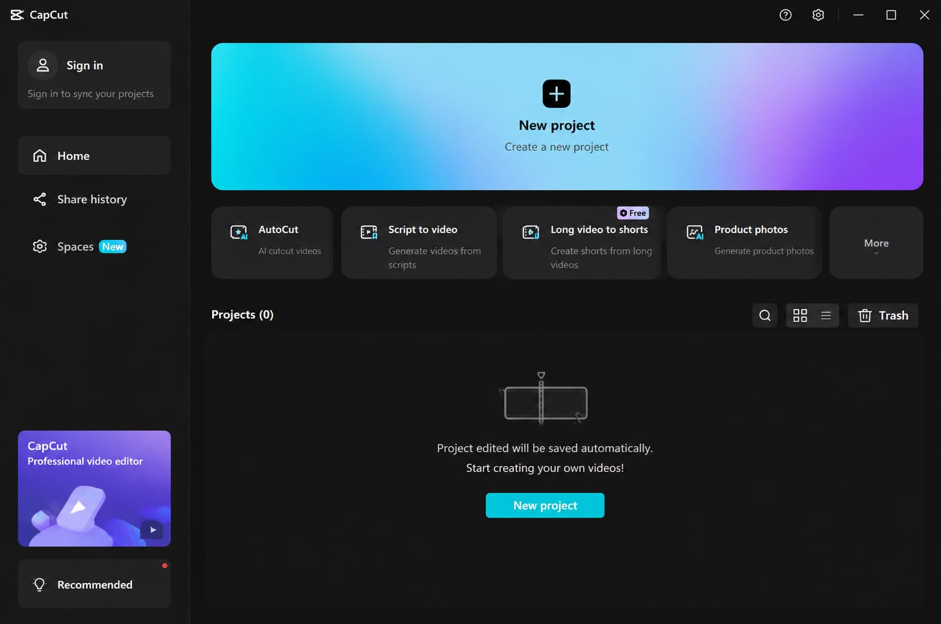
CapCut remains excellent for final polish. It offers strong auto-captions, trending effects, templates, and seamless TikTok integration. Many creators run OpusClip first for discovery, then refine in CapCut.
Other solid options include Pictory for branded marketing clips, InVideo AI for text-to-video generation, and similar tools that convert scripts or existing media into ready shorts. These platforms handle voiceovers, stock footage, and platform-specific formatting automatically.
Additionally, some newer tools generate entire videos from prompts and even schedule them. Always review the output, though. AI saves time, yet human judgment keeps the content authentic and on-brand.
Quick workflow tip:
Record or upload long content → Run through OpusClip or similar AI clipper → Export several vertical versions → Tweak captions, text, and music in CapCut → Export final files.
Step 3: Schedule and Publish Across Platforms
Once videos are ready, scheduling tools take over. Later, Buffer, Hootsuite, and Metricool all support TikTok, Instagram Reels, and YouTube Shorts to varying degrees. Later, for instance, offers strong visual planning and multi-platform posting. Buffer emphasizes simplicity and analytics. Metricool provides deeper insights and competitor tracking.
Connect your accounts through official integrations. Then upload the finished videos, write captions, add hashtags, and set optimal times. Many tools suggest peak posting windows based on your audience data.
For TikTok specifically, approved partners using the official API can schedule posts safely. Avoid any service that promises auto-likes or mass engagement. TikTok detects and penalizes those practices.
YouTube Shorts and Instagram Reels integrate more easily with most schedulers. Still, check each tool’s current permissions, because platforms update access rules regularly.
Step 4: Add Smart Automation Layers
Beyond creation and posting, you can automate monitoring and light engagement. TikTok Ads Manager offers automated rules for campaigns, but organic accounts benefit more from analytics dashboards inside scheduling tools. Set alerts for performance drops or spikes.
Furthermore, some platforms let you auto-reply to common comments with pre-approved responses when the feature is available and compliant. Keep these limited and genuine. Over-automation of comments often triggers filters.
You can also use AI writing tools to draft captions and hashtags in bulk, then personalize them. This keeps the workflow moving while maintaining a human touch.
Best Practices and Compliance Tips for 2026
Automation works best when it supports real value. Therefore, never fully remove human oversight. Review every clip before it goes live. Authenticity still ranks high in algorithms.
Next, respect platform rules. TikTok prohibits artificial engagement boosting. Instagram and YouTube similarly penalize spammy behavior. Use only official or audited tools.
In addition, diversify content. Mix AI-repurposed clips with original talking-head videos or trend-based pieces. This balance improves reach and reduces the risk of looking generic.
Moreover, track results weekly. Look at watch time, shares, and follower growth. Adjust topics and posting times based on data rather than guesses.
Finally, stay updated. AI features and API rules evolve quickly. Check official help centers and reputable tool blogs regularly.
Recommended Tools at a Glance
- OpusClip – Best for automatic long-to-short conversion and multi-platform publishing.
- CapCut – Ideal for free or low-cost polishing with TikTok-friendly effects.
- Later / Buffer / Metricool – Strong for scheduling and analytics.
- InVideo AI / Pictory – Useful for generating videos from text or existing assets.
Start with free tiers to test what fits your volume and style.
Putting It All Together
Automating TikTok, YouTube Shorts, and Instagram Reels in 2026 is realistic and effective when done the right way. First plan your content. Then let AI handle clipping and basic editing. After that, schedule posts through trusted tools. Finally, review performance and stay compliant.
This approach frees hours each week. Consequently, you can create better ideas, engage more meaningfully with your audience, and grow faster. Begin with one platform and one AI tool. Expand once the system feels smooth. Consistent, high-quality short videos remain the foundation of success—automation simply multiplies your efforts.